Environment umlfragment#
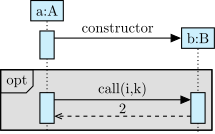
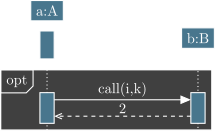
Combined fragments are the second family of elements in a sequence diagram, with the function calls. You can define them with the umlfragment environment:
\begin{umlseqdiag}
\umlobject[class=A]{a}
\umlconstructorcall[class=B]{a}{b}
\begin{umlfragment}
\begin{umlcall}[op={call(i,k)}, dt=7, return=2]{a}{b}
\end{umlcall}
\end{umlfragment}
\end{umlseqdiag}
Type of combined fragment#
There are several types of combined fragments. You can set it with type option: the keyword will appear in the top left corner of a combined fragment. This is the main keywords list:
-
opt: -
This models an option, namely a if-then instruction. This is the default value;
-
alt: -
This models an alternative, namely if-then-else, if-then-elseif-else, and switch-case instructions. ;
-
loop: -
This models a loop, namely a for instruction (in this case, you can add minimal and eventually maximal index values in brackets), or a while instruction;
-
break: -
This models a break, namely an anticipated exit of a loop combined fragment.
-
par: -
This models a parallel execution;
-
strict: -
This models a strict sequencing of function calls in a strict sequential order;
-
seq: -
This models a weak sequencing of function calls, meaning that the sequential order is maintained, but calls can be done in parallel when possible;
-
critical: -
This models a critical region, namely a sequence of function calls inside a parallel region that ais forced to be ran atomically;
Additional information (conditions, …)#
The label option allows to set information such as the condition for an optional or a loop combined fragment:
\begin{umlseqdiag}
\umlobject[class=A]{a}
\umlconstructorcall[class=B]{a}{b}
\begin{umlfragment}[type=opt, label={$i>5$}, inner xsep=4]
\begin{umlcall}[op={call(i,k)}, dt=7, return=2]{a}{b}
\end{umlcall}
\end{umlfragment}
\begin{umlfragment}[type=opt, label={$i>5$}]
\begin{umlcall}[op={call2(j,l)}, dt=7, return=2]{a}{b}
\end{umlcall}
\end{umlfragment}
\end{umlseqdiag}
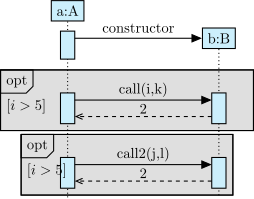
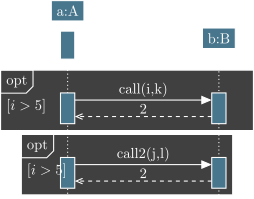
The inner xsep option allows you to shift type and label to the left. The default value is 1 and its implicit unit is ex.
Multi-regions combined fragments#
Let’s take an alternative combined fragment. It represents a switch-case instruction block. To represent each case, you need to set regions in the fragment. For this purpose, you can use the \umlfpart command:
\begin{umlseqdiag}
\umlobject[class=A]{a}
\umlconstructorcall[class=B]{a}{b}
\begin{umlfragment}[type=alt, label={$i>5$}, inner xsep=4]
\begin{umlcall}[op={call1(i,k)}, dt=7, return=2]{a}{b}
\end{umlcall}
\umlfpart[else]
\begin{umlcall}[op={call2(a,k)}, return=4]{a}{b}
\end{umlcall}
\end{umlfragment}
\end{umlseqdiag}
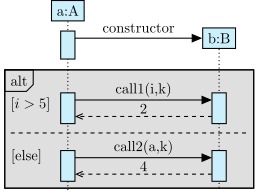
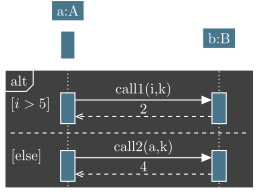
The optional argument is a label.