Command \umlport#
In a component diagram, components can be automatically drawn with ports (see Environment umlcomponent). Sometimes, you will need to add a port manually, by using \umlport:
\begin{umlcomponent}{A}
\umlbasiccomponent{B}
\umlbasiccomponent[y=-3]{C}

\umlprovidedinterface[interface=Bpi, distance=2cm, padding=2cm]{B}
\umlprovidedinterface[interface=Cpi, distance=2cm, padding=2cm]{C}
\end{umlcomponent}

\umldelegateconnector{A-west-port}{B-west-interface}
\umlHVHdelegateconnector[pos stereo=1.5]{A-west-port}{C-west-interface}
\umlport{A}{west}
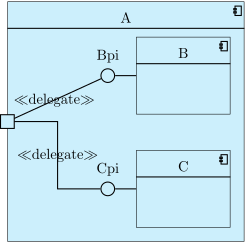
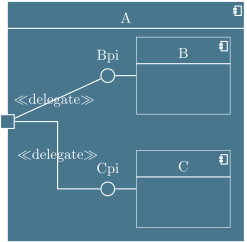
The first argument is the component name, the second one is the anchor of the component node where you want to draw the port. You can set the size of the port with the width option.