Command \umlnote#
A note is a text comment attached to a class or a relation. The \umlnote command needs the name of the node as argument:
\umlemptyclass{A1}
\umlnote[x=3]{A1}{I am a note referring to A1}
\umlnote[x=2,y=-3, width=5cm]{A1}{I am a larger note referring to A1}
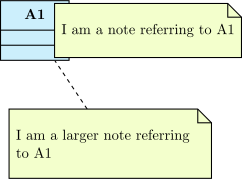
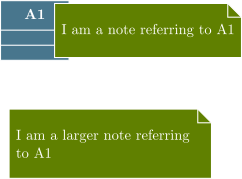
Here again, you can give the name of a control node of a relation to attach the note. Giving a name to the relation will be very useful:
\umlemptyclass{A}
\umlemptyclass[x=4]{B}
\umluniassociate[arg=bb, mult=1, pos=0.95, align=right, name=uniassoc]{A}{B}
\umlnote[x=2,y=-3]{uniassoc-1}{I am a note about the unilateral association}
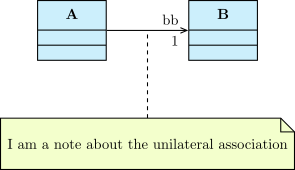
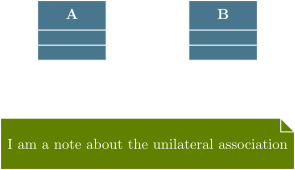
Notes have 2 uses: comments and constraints (generally in OCL format).
The \umlnote command has the following options:
-
x,y -
These 2 options define the coordinates of the note.
width-
This option defines the width of the note. For TikZ users, it encapsulates the
text widthoption -
weight,arm,anchor1,anchor2,anchors -
These options has the same behavior as for
\umlrelationship,armbeing equivalent toarm1, namely attached to the note.
\umlemptyclass{A}
\umlemptyclass[x=4]{B}
\umluniassociate[arg=bb, mult=1, pos=0.95, align=right, name=uniassoc]{A}{B}
\umlnote[y=-3, geometry=|-|, anchor1=70, arm=0.5cm]{uniassoc-1}{I am a note about the unilateral association}

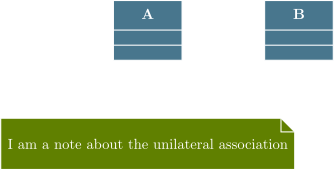
For a note, you can also use the geometry option, as for \umlrelationship. Default value is - -. For other values, aliases have been defined: \umlHVnote, \umlVHnote, \umlHVHnote and \umlVHVnote.
Warning
For each of these aliases, the geometry option is forbidden.