Command \umlclass#
Standard definition#
You can define a class with the \umlclass command:
\umlclass{namespace::A}{
  + n : uint \\
  \umlstatic{-- i : int} \\
  \# r : const float
  }{
  + setA(i : int) : void \\
  \umlvirt{\# getA() : A}
}
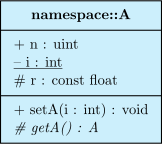

\umlclass takes 3 arguments:
The class name, that can contains double dots.
The class attributes, written as a content of an array (separated by
\\);The class member functions, written as a content of an array (separated by
\\).
visibility name : type.visibility name(arg1 : type, arg2 : type, ...) : type for a member function.Visibility is:
+for public members (accessible from everywhere in the code)-for private members (accessible only from member functions of the class)#for protected member (accessible only from member functions of the class and child classes)
Special properties of class members#
Static class members can be defined as argument of the \umlstatic command.
Virtual member functions can be defined as argument of the \umlvirtual command.
Special classes#
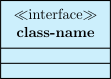
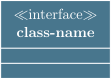
There are different types of classes: class, abstract, interface, typedef, enum. You can specify it with the type option (the default value is class):
\umlemptyclass[type=interface]{class-name}
See also
Shortcuts exist for each value of the type option: \umlabstract, \umltypedef, \umlenum, \umlinterface. For these shortcuts, option type is forbidden.
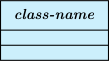
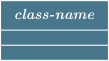
The type is written between \(\ll\) and \(\gg\) above the class name, excepted the class type (default behavior), and the abstract type, where the class name is written in italic style instead:
\umlemptyclass[type=abstract]{class-name}
Defining classes without members#
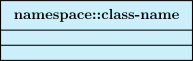
For empty classes (that contains no members), you can use a shortcut command \umlemptyclass:
\umlemptyclass{namespace::class-name}
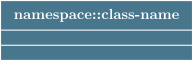
You may also prefer drawing a single rectangle node instead of a 3 parts rectangle node. In this case, you may use the simple key of \umlclass or the shortcut \umlsimpleclass that also takes only the class name for argument and the same options as the command \umlclass:
\umlsimpleclass{namespace::class-name}


See also
You can also draw interfaces with a circular node. To do so, you can use the simple option to the \umlinterface command, or use the shortcut \umlsimpleinterface
\umlsimpleinterface[x=0, y=0]{I}


Tagged values#
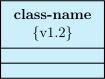
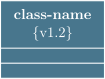
To add tagged values to a class, you can use the option tags:
\umlemptyclass[tags={v1.2}]{class-name}
Template parameters#
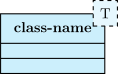
For a template class, you can use the template option to specify the template parameters list:
\umlemptyclass[template=T]{class-name}