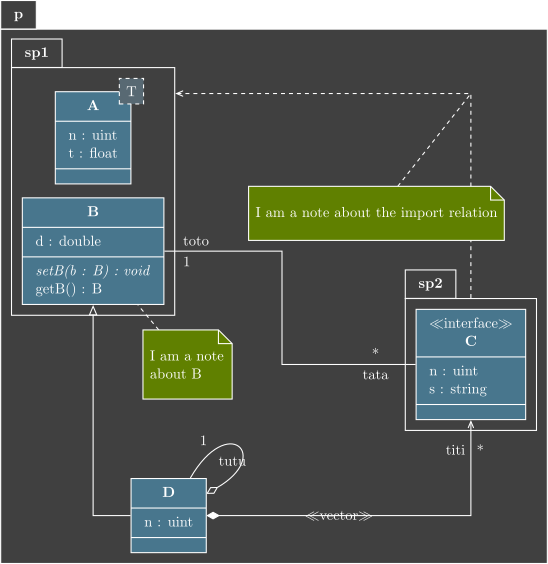
Class diagram#
We will now build step by step the picture seen in home page to understand the behavior of each used command.
Definition of packages p, sp1 and sp2#
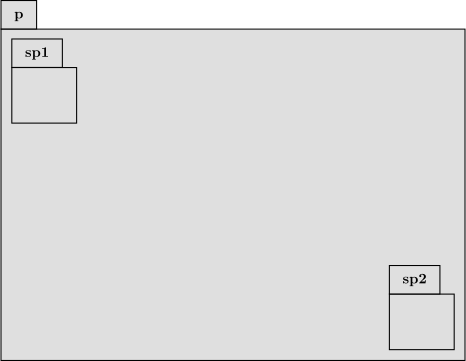
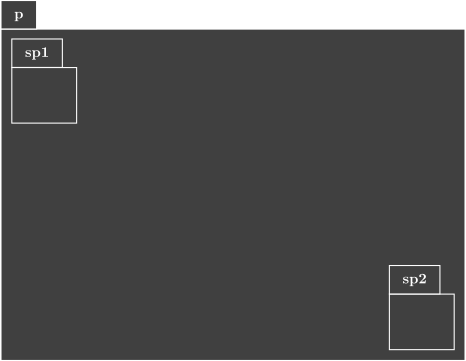
The package p is placed at (0,0) (default), and the sub-packages sp1 and sp2 respectively at (0,0) and (10,-6).
\begin{umlpackage}{p}
\begin{umlpackage}{sp1}
\end{umlpackage}
\begin{umlpackage}[x=10, y=-6]{sp2}
\end{umlpackage}
\end{umlpackage}
Definition of classes A, B, C, D and their attributes and operations#
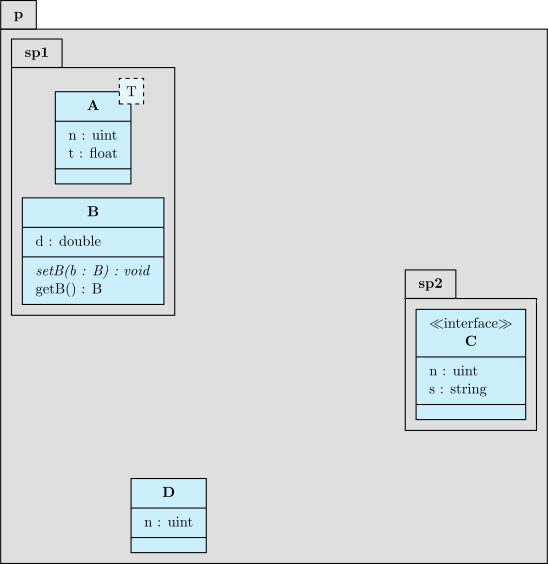
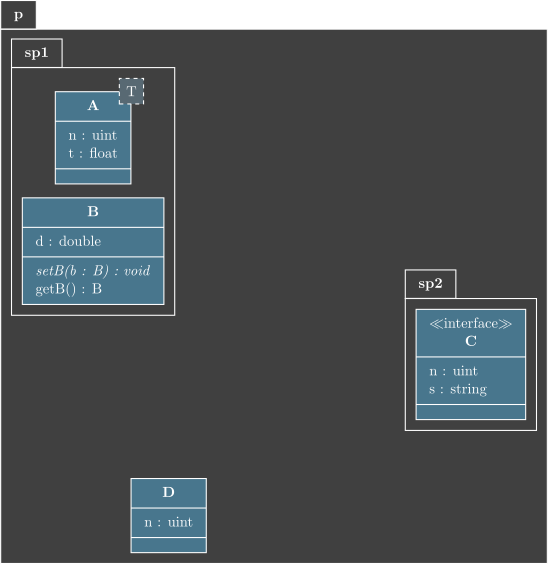
The class A is placed at (0,0) in the sub-package sp1 and has a template parameter: T. The class B is placed 3 units below A, still in the sub-package sp1. The interface C is placed at (0,0) in the sub sp2. The class D is placed at (2,-11) in the package p.
Class A has two attributes. Class B has one attribute and two operations (one is virtual). Class C has two attributes. Class D has one attribute.
\begin{umlpackage}{p}
\begin{umlpackage}{sp1}
\umlclass[template=T]{A}{
  n : uint \\ t : float
  }{}
\umlclass[y=-3]{B}{
  d : double
  }{
  \umlvirt{setB(b : B) : void} \\ getB() : B
}
\end{umlpackage}
\begin{umlpackage}[x=10, y=-6]{sp2}
\umlinterface{C}{
  n : uint \\ s : string
  }{}
\end{umlpackage}
\umlclass[x=2, y=-10]{D}{
  n : uint
  }{}
\end{umlpackage}
Definition of relations#
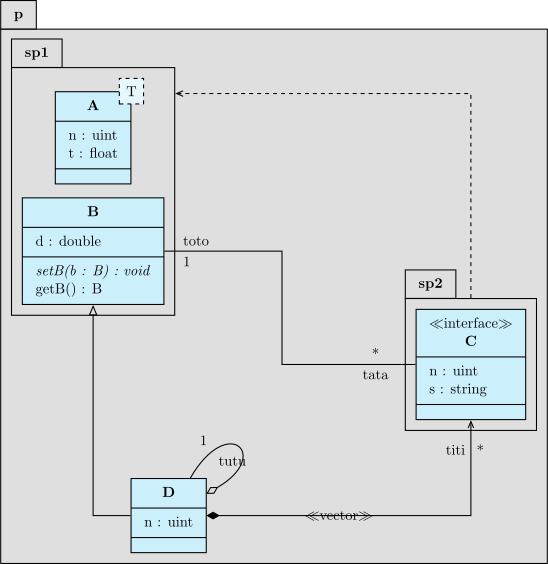
We define an association between classes C and B, a unidirectional composition between classes D and C, an import relation named “import” between sub-packages sp2 and sp1 (with modification of anchors), a recursive aggregation on class D and an inheritance between classes D and B. On these relations, we will specify argument names and multiplicities. You can notice the value given to place these elements on each arrow according to the geometry.
\begin{umlpackage}{p}
\begin{umlpackage}{sp1}
\umlclass[template=T]{A}{
  n : uint \\ t : float
  }{}
\umlclass[y=-3]{B}{
  d : double
 }{
  \umlvirt{setB(b : B) : void} \\ getB() : B
}
\end{umlpackage}
\begin{umlpackage}[x=10, y=-6]{sp2}
\umlinterface{C}{
  n : uint \\ s : string
  }{}
\end{umlpackage}
\umlclass[x=2, y=-10]{D}{
  n : uint
  }{}
\end{umlpackage}
\umlassociate[geometry=-|-, arg1=tata, mult1=*, pos1=0.3, arg2=toto, mult2=1, pos2=2.9, align2=left]{C}{B}
\umlunicompose[geometry=-|, arg=titi, mult=*, pos=1.7, stereo=vector]{D}{C}
\umlimport[geometry=|-, anchors=90 and 50]{sp2}{sp1}
\umlaggregate[arg=tutu, mult=1, pos=0.8, angle1=30, angle2=60, loopsize=2cm]{D}{D}
\umlinherit[geometry=-|]{D}{B}

Definition of notes#
We add a note attached to class B and a note attached to the import relation.
\begin{umlpackage}{p}
\begin{umlpackage}{sp1}
\umlclass[template=T]{A}{
  n : uint \\ t : float
  }{}
\umlclass[y=-3]{B}{
  d : double
  }{
  \umlvirt{setB(b : B) : void} \\ getB() : B
}
\end{umlpackage}
\begin{umlpackage}[x=10, y=-6]{sp2}
\umlinterface{C}{
  n : uint \\ s : string
  }{}
\end{umlpackage}
\umlclass[x=2, y=-10]{D}{
  n : uint
  }{}
\end{umlpackage}
\umlassociate[geometry=-|-, arg1=tata, mult1=*, pos1=0.3, arg2=toto, mult2=1, pos2=2.9, align2=left]{C}{B}
\umlunicompose[geometry=-|, arg=titi, mult=*, pos=1.7, stereo=vector]{D}{C}
\umlimport[geometry=|-, anchors=90 and 50, name=import]{sp2}{sp1}
\umlaggregate[arg=tutu, mult=1, pos=0.8, angle1=30, angle2=60, loopsize=2cm]{D}{D}
\umlinherit[geometry=-|]{D}{B}
\umlnote[x=2.5, y=-6, width=11ex]{B}{I am a note about B}
\umlnote[x=7.5, y=-2]{import-2}{I am a note about the import relation}